
 English
 Español
 中文简体
中文简体 Português
If you need any help, please feel free to contact us
Papier Glace Double Face: Improving Double-Sided Print Efficiency
Many people now want to print on both sides of a piece of paper. This saves paper and looks more professional. At the same time, print quality must stay high. So users look for paper that works well on both sides. Two good options are Inkjet Photo Paper and Papier Glace Double Face. When you use them together, you can get clear images on the front and the back.
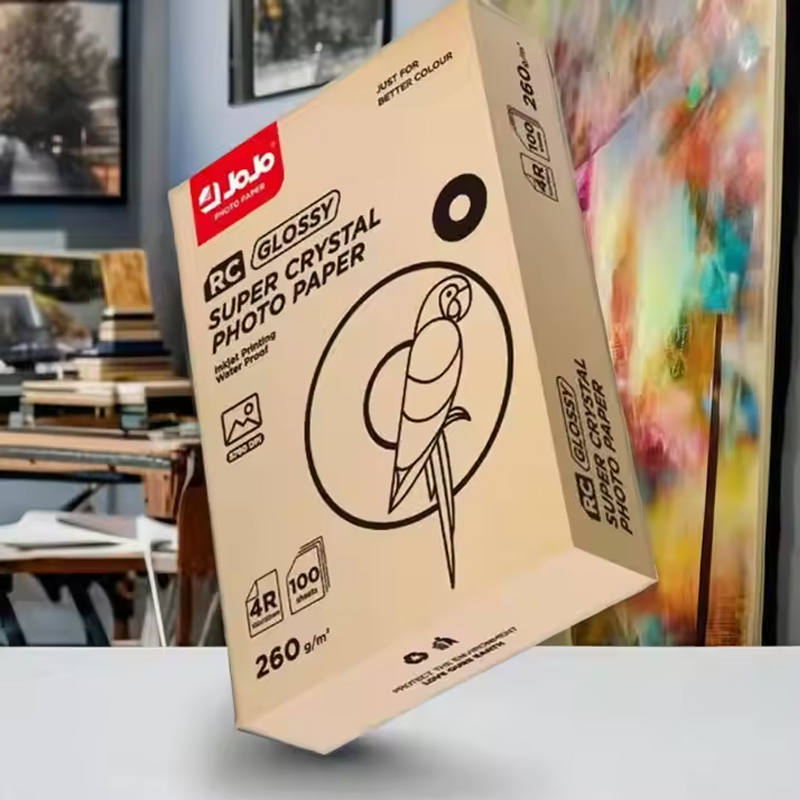
What Makes Double-Sided Paper Different
Regular photo paper is often coated only on one side. The other side is plain. That works for single-sided prints. But for double-sided work, you need a special coating on both sides. Papier Glace Double Face is made for this. Each side has a coating that takes ink evenly. So the ink does not soak through to the other side. This is very important for inkjet printers. Inkjet printers put liquid ink on the paper. If the paper is bad, the ink bleeds and ruins the other side.
Good double-sided glossy paper is also a bit thicker. More thickness stops the paper from curling. Curling happens when one side gets wet, and the other side stays dry. Thicker paper stays flat. This helps the printer grab the paper without jams. But you must check your printer’s manual. Some printers cannot handle thick paper.
Why the Right Paper Helps Your Prints
Inkjet Photo Paper is made for inkjet printers. It lets the ink dry fast. The colors look bright. The paper has a special top layer. This layer stops the ink from spreading too much. So small details stay sharp. Text looks clean. Photos look rich.
Another good thing is less smudging. Smudging happens when you touch wet ink. With double-sided coated paper, the ink sits on top of the coating. It does not sink deep into the fibers. So it dries faster. You can flip the paper sooner. But you still need to wait a little bit.
Simple Tips for Setting Up Your Printer
Pick the right setting on your printer. Look for a setting that says "Glossy Paper" or "Photo Paper." This tells the printer to use less ink at a time. The printer also slows down a bit. That gives the ink more time to dry. Do not use the "Plain Paper" setting. That setting puts too much ink on glossy paper. The ink will stay wet for a long time.
Turn off any fast printing modes. Fast modes save time but cause problems with double-sided prints. The ink does not have time to set. So the back side of the paper gets marks from the printer rollers. Use the normal or high-quality mode instead.
Check the paper size and paper type in your printer driver. Make sure it matches the paper you put in the tray. If the settings are wrong, the printer may use the wrong amount of ink.
Manual Duplex Printing Works Better
Many printers have an automatic double-sided feature. But for glossy double-sided paper, manual duplex printing is often better. This means you print one side. Then you take the paper out. You wait for it to dry. Then you put it back in to print the other side.
Why do this? Because automatic double-sided printers pull the paper back in too fast. The paper has wet ink on one side. The rollers touch that wet side. This leaves marks. The paper can also stick to other sheets. Manual printing gives you control. You decide when the paper is dry enough.
To do manual duplex printing, print all the front sides. Let them dry for two to three minutes. Touch the edge of a test sheet. If it feels dry, you can flip the stack. Put the stack back in the paper tray. Make sure the printed side faces the right way. Check your printer's manual for the correct orientation. Then print the back sides.
Product Features Overview
Below is a simplified table outlining typical characteristics of papier glace double face used in inkjet applications:
|
Feature |
Description |
|
Double-Sided Coating |
Allows printing on both sides with controlled ink absorption |
|
Surface Finish |
Glossy or semi-gloss for enhanced image presentation |
|
Paper Thickness |
Increased rigidity for smoother feeding and reduced curl |
|
Ink Compatibility |
Designed for dye and pigment-based inkjet inks |
|
Drying Behavior |
Moderate drying time to support double-sided handling |
|
Application Range |
Suitable for photos, brochures, catalogs, and presentation materials |
Fixing Common Problems
Sometimes you get smudges on the back side. This usually means you did not wait long enough. Next time, wait longer. You can also use less ink. In your printer settings, lower the color density or saturation. Text needs less ink than photos. So if you print text on one side and a photo on the other, print the photo side. Then print the text side. The photo needs more drying time.
Paper jams happen, too. If your printer jams, check the paper thickness. Many home printers work with paper up to 250 or 300 grams per square meter. If your paper is thicker, the The printer may not feed it well. Try putting fewer sheets in the tray. Ten sheets at a time are safer than thirty.
Another problem is uneven gloss. One side looks shiny. The other side looks dull. This happens if the paper is old or stored badly. Always keep double-sided paper in its closed package. Store it flat. Do not bend it. Do not leave it in direct sunlight.
Contact Information
- OFFICE 309, GUOMAO PLAZA, NO.999 CHOUZHOU NORTH ROAD, YIWU, CHINA YIWU AOTIAN DIGITAL TECHNOLOGY CO., LTD.
- +86-579-85555923
- jojo001@ywjojo.com
- +86-15214708046
Quick Links
Mobile
Are You Ready To Work With Us?

