
 English
 Español
 中文简体
中文简体 Português
If you need any help, please feel free to contact us
Inkjet Photo Paper: Enhancing Home Printing Projects
You can do a lot of fun printing at home. To get good results, you need the right paper. Two good choices are Inkjet Photo Paper and Papier Glace Double Face. They help you make clear and nice-looking prints. You can use them for photo albums, room decorations, or custom cards. This article tells you how to pick and use these papers. It is easy to follow.
Different Kinds of Inkjet Photo Paper
Inkjet photo paper comes in a few types. There is glossy paper. It has a shiny finish. There is semi-gloss paper. It is less shiny. There is matte paper. It has no shine at all. Glossy paper makes colors look bright and strong. It reflects light. So it is good for photos with a lot of color. Matte paper does not reflect light. It gives a soft and quiet look. It is good for pictures you put behind glass.
Papier Glace Double Face is special. You can print on both sides of this paper. That is very useful. For example, you can make a card that has writing on the front and inside. Or you can make a two-sided flyer. You can also make a small photo book where each page has pictures on both sides. This paper saves you time. You do not need to glue two sheets together.
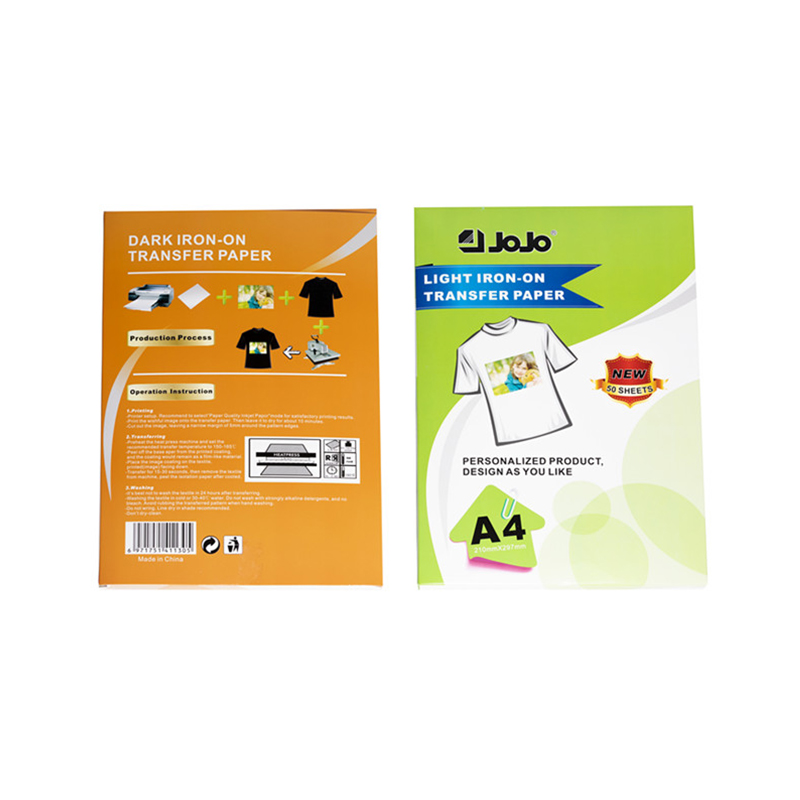
Getting Your Printer Ready
Before you print, set up your printer the right way. Open the printer software on your computer. Look for the paper type setting. Pick the one that matches your paper. For glossy paper, pick "glossy." For matte paper, pick "matte." For Papier Glace Double Face, pick "double-sided" or "duplex" if you have it.
If your printer can print on both sides by itself, turn on duplex printing. But some printers need you to flip the paper by hand. Read your printer’s manual to know what to do. For Papier Glace Double Face, test one sheet. That makes sure the front and back line up well.
Getting Your Files Ready
Your digital pictures or documents also need to be ready. Use a good resolution. For home printing, 300 dpi is a good number. That means the picture has enough detail. It will not look blurry. If your picture is too small, it will look bad when you print it big.
You can also change the colors a little. Different papers show colors differently. Glossy paper makes colors pop. Matte paper makes them look softer. So you might need to make your picture brighter or darker. Your printer software has color tools. Try a small test print. Then change the colors if you need to.
For double-sided prints, line up the front and back well. In your document, put the front page on one side. Put the back page on the other side. Leave a small space around the edges. That is called a margin. It helps when the printer grabs the paper.
Fun Things You Can Make at Home
With these papers, you can make many nice things. Here are some ideas.
- Photo albums. Print your family pictures on glossy or matte paper. Put them in a simple album. They will look like store-bought prints.
- Greeting cards. Use Papier Glace Double Face. Print a picture on the front. Print a message on the inside. Fold the paper in half. You have a custom card.
- Flyers for a party. Print information on one side. Print a map or a schedule on the other side. Give them to your friends.
- Small posters. Print a favorite quote or a picture of your pet. Use a large sheet of inkjet photo paper. Put it on your wall.
- DIY photo books. Take several sheets of double-sided paper. Print pictures on both sides of each sheet. Stack them. Staple or tie them together. You have a small book.
All these projects look good. You do not need expensive machines. Just your home printer and the right paper.
Tips for Good and Steady Results
To get good prints every time, do a few simple things.
Clean your printer heads often. Many printers have a cleaning tool in the software. Dirty heads cause streaks or missing colors. Run a cleaning cycle once a month.
Do not mix different paper types in one print job. Each paper needs its own settings. If you change paper, change the settings too.
Let the ink dry before you touch the print. Glossy paper takes more time to dry. Double-sided paper needs extra care. If you print on side one and then side two right away, the ink on side one might still be wet. So wait a few minutes. Or use a fan to speed up drying.
Test a single sheet. This is very important for double-sided prints. Print one sheet. Check the front and back. See if the text or pictures line up. If they do not line up, change the margins in your document. Then try again.
Keep your printer in a clean place. Dust can get inside. Dust makes bad prints. Cover your printer when you do not use it.
Common Questions and Answers
Q: Can I use Papier Glace Double Face in any inkjet printer?
A: Many new inkjet printers work with it. But you need to check if your printer can do double-sided printing. Some printers cannot. Also check the paper thickness. Very thick paper may not fit.
Q: How do I store photo paper so it does not get ruined?
A: Keep it in its original bag. Put the bag in a flat box. Close the box. Put it in a cool, dry room. Do not bend the paper.
Q: Is glossy paper better than matte for family photos?
A: It depends on what you like. Glossy makes colors bright and shiny. Matte looks soft and does not shine. For photos you put in a book, either is fine. For photos under a lamp, matte is better because it has no glare.
Q: Does double-sided paper smudge more easily?
A: It can smudge if the ink is not dry. Both sides have coating. So let each side dry fully before you print the other side. Also do not stack wet prints on top of each other.
Contact Information
- OFFICE 309, GUOMAO PLAZA, NO.999 CHOUZHOU NORTH ROAD, YIWU, CHINA YIWU AOTIAN DIGITAL TECHNOLOGY CO., LTD.
- +86-579-85555923
- jojo001@ywjojo.com
- +86-15214708046
Quick Links
Mobile
Are You Ready To Work With Us?

