
 English
 Español
 中文简体
中文简体 Português
If you need any help, please feel free to contact us
How Satin Photopaper Fits into a High-Resolution Photo Editing Workflow?
When people edit high-resolution photos, they pay a lot of attention to the digital part of the work. But the materials used for printing are just as important. Satin Photopaper and A4 Sublimation Papers are two popular choices for photographers and designers. These papers can handle detailed images well and keep the quality clear.
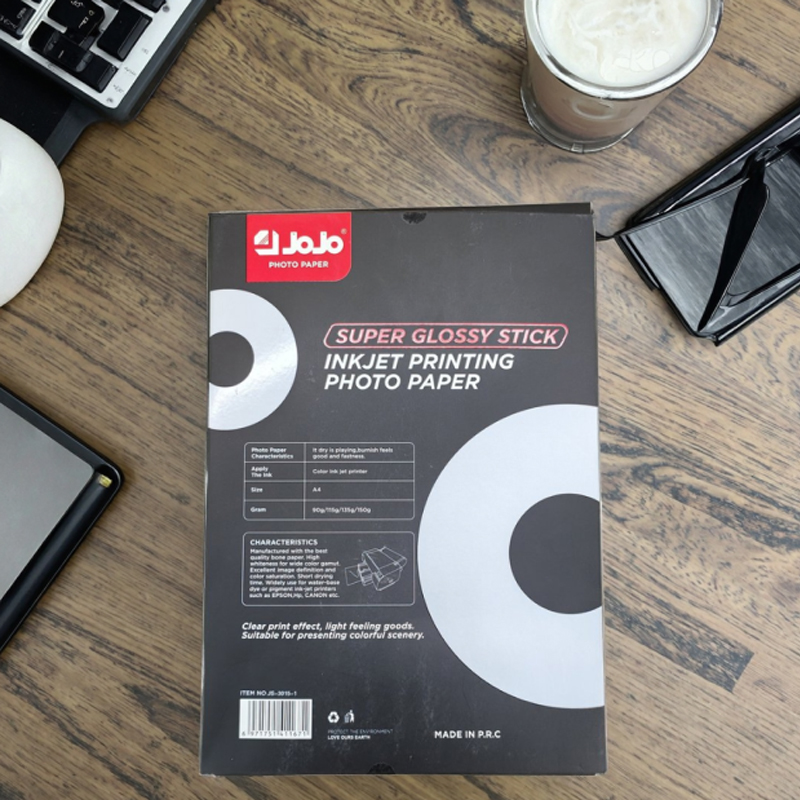
The Surface of the Paper and How It Shows Detail
One thing to think about when picking printing paper is the surface finish. Satin Photopaper has a smooth feel with a little bit of shine. This helps light and shadows in pictures look more natural. Unlike glossy paper, satin paper cuts down on glare. This makes it easier to check colors after editing. A4 Sublimation Papers are made to transfer ink evenly. This helps images with soft color changes and detailed patterns look good. People who work on portraits or landscape photos can see that the paper keeps the smooth shifts in color. This lets them check small color changes before they print the final copy.
How Colors Stay the Same from Print to Print
Getting colors to come out the same every time is very important for anyone doing detailed photo editing. Papers made for sublimation printing, like A4 Sublimation Papers, make sure the ink does not spread out unevenly or soak into the paper in strange ways. This lets users see a more accurate preview of their edited images. When printing test copies, users can spot color changes and fix them in the digital workflow. They do not have to make many test prints to get it right. Satin Photopaper also controls how the ink is absorbed. This lowers the chance of streaks or uneven spots that could hide small details.
How the Paper Feeds Through Printers
How the paper handles is another thing that affects how smoothly work gets done. Both Satin Photopaper and A4 Sublimation Papers work with many kinds of inkjet and sublimation printers. The weight and stiffness of these papers help them feed through printers without trouble. Thinner papers can wrinkle or get stuck, which stops work. Heavier papers might need printer settings to be changed. Users also need to think about drying time and how the paper reacts to humidity. These things affect how fast prints can be checked and handled without smudging or getting ruined.
Simple Tips for Using Satin Photopaper and A4 Sublimation Papers
- Keep papers in a dry, flat place so they do not bend or curl.
- Put sheets in the printer straight to stop prints from coming out crooked.
- Print small test areas before doing full pages when trying new color settings.
- Change printer settings to match the paper weight and finish for better results.
Doing these things helps make the paper part of a regular workflow. It lets users check images well without having to print many test copies.
Keeping Colors the Same Across Different Projects
Editing high-resolution photos often means working with many images or making several prints. Picking one type of paper helps keep things looking the same across different prints. Satin Photopaper and A4 Sublimation Papers have surfaces that react the same way to the same inks. This means changes made to one image should look about the same on later prints. This kind of reliability helps designers, photographers, and anyone making multiple prints from one project work more smoothly.
Different Ways to Use These Papers
Besides regular photos, both types of paper can be used for creative projects. People make custom photo gifts, signs, and promotional materials with them. How the paper handles lets users try out different layouts, add text, and make changes without worrying about too much glare or ink spreading where it should not. Designers can use these papers to test different versions quickly. This saves time when planning and checking work.
Making These Papers Part of Your Workflow
Using these papers in an editing workflow means understanding how they work with both software and hardware. For example, changing printer profiles and color settings can work well with the physical traits of Satin Photopaper. This gives a clearer preview of shadows, highlights, and midtones. A4 Sublimation Papers also work well with thermal transfer processes. They help keep fine details in color blends and textures. By paying attention to these things, users can make fewer test prints. They can spend more time looking at the content instead of dealing with surprise printing problems.
Satin Photopaper and A4 Sublimation Papers are useful tools for high-resolution projects where checking small details and color accuracy matters. Using them carefully helps people move smoothly from digital editing to printed review. Photographers and designers get the tools they need to keep their work clear and consistent from start to finish.
Contact Information
- OFFICE 309, GUOMAO PLAZA, NO.999 CHOUZHOU NORTH ROAD, YIWU, CHINA YIWU AOTIAN DIGITAL TECHNOLOGY CO., LTD.
- +86-579-85555923
- jojo001@ywjojo.com
- +86-15214708046
Quick Links
Mobile
Are You Ready To Work With Us?

