
 English
 Español
 中文简体
中文简体 Português
If you need any help, please feel free to contact us
How To Stop Smudges On Inkjet Photo Paper and Papel Gloss?
Using Inkjet Photo Paper and Papel Gloss can give you very nice prints. But smudges can ruin your work. This is a common issue. It happens more when you print high-quality photos or many pages. To fix this, you need to know why smudges happen. Then, you can use some easy steps. These steps will help you get clean prints every time.
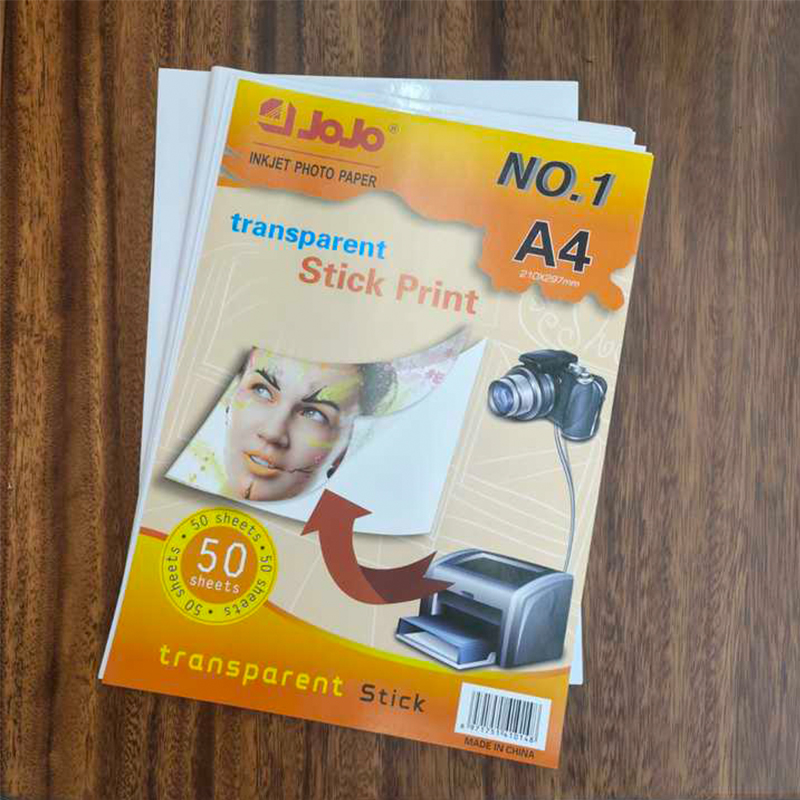
Pick the Right Paper
Photo paper is not all the same. Inkjet Photo Paper comes in many types. You can get glossy paper, matte paper, and paper with texture. Each kind is different. For example, Papel Gloss is very shiny. The ink sits on top of this paper at first. It does not soak in fast. So, if you touch it too soon, the ink will move and smudge. Your first job is to choose the correct paper. Pick paper that works well with your printer. This choice helps stop smudges from the start.
When you buy paper, read the box. Look for information about ink. Some papers are best for dye-based ink. Other papers are best for pigment-based ink. Your printer uses one of these ink types. If you use the wrong paper, the ink may smear. The colors may also look wrong. So, matching your paper and ink is very important.
Use the Correct Printer Settings
Your printer has many settings. These settings control how the ink goes on the paper. You must tell your printer what paper you are using. In the printer software, find the setting for paper type. Choose "Photo Paper" or "Glossy Photo Paper." This tells the printer to use the right amount of ink.
Also, think about print speed. A slower print speed is often better. It lets the ink go on in a controlled way. Fast printing can put down too much wet ink. The paper cannot absorb it all. Then, the wet ink can smudge. You should also use the "High Quality" or "Best" print setting for photos. But remember, this uses more ink. So, you must let the print dry longer.
Handle Your Paper the Right Way
How you touch the paper matters a lot. Always hold the paper by the edges. Your fingers have oils. If you touch the shiny surface, you will leave marks. These marks can cause smudges later.
Put the paper in the printer tray carefully. Make sure the stack is neat. All edges should be straight. This stops the paper from jamming inside the printer. A paper jam is bad. It can scratch the wet ink. It can also make the ink spread in the wrong places.
After the print comes out, do not touch the picture. Place it on a clean, flat table. Let it sit there. The ink needs time to dry. Papel Gloss needs more time than matte paper. The glossy surface holds the ink on top. You must wait. Do not stack prints on top of each other right away. Do not try to frame them until they are fully dry. Be patient.
Think About the Room Around You
The air in your room can affect printing. If the air is very damp, the ink will dry slowly. Humid air makes the paper a little wet. Then, the ink does not set quickly. This makes smudges more likely. Try to print when the air is dry. A room with normal temperature is good.
Also, keep your printing area clean. Dust is an enemy. Tiny dust bits can land on your wet print. They stick to the ink and make spots or smudges. Use a clean table. Do not have a fan blowing air over your fresh prints. Still air is better for drying.
Use Simple Protection Methods
Sometimes you need to move a fresh print. You can protect it. Take a clean piece of plain paper. Lay it gently over the photo surface. Now you can carry the print. The top paper will shield the wet ink. Do not use anything heavy. Do not press down.
Keep other things away from your wet prints. Do not put cups, pens, or tools near them. Make sure your hands are completely dry before you handle the paper. If you plan to laminate the photo or put it in a frame, wait. Give it extra time. For Papel Gloss, wait at least a few hours. This makes the ink stable. Then your final steps will not ruin the picture.
Take Care of Your Printer
A clean printer makes clean prints. Over time, the printer heads can get clogged. The rollers that move the paper can get dirty. Small bits of paper or dust can get inside. All this can change how the ink sprays onto your paper. It can cause lines, streaks, and smudges.
So, you must maintain your printer. Follow the cleaning steps in the printer manual. Usually, you can run a "head cleaning" program from the computer. This keeps the ink flowing smoothly. Clean the paper rollers with a soft, damp cloth when needed. Good printer care means better results on your Inkjet Photo Paper and Papel Gloss.
Always Test
You should never start a big project without testing.Look at the test prints carefully. Check for smudges. See if the colors are right. Feel if the surface is dry.
This test helps you find problems. Maybe the paper is not right. Maybe the settings are wrong. You can fix these things on the test prints. Then, when you print all your photos, they will be perfect. Testing saves you time. It saves you paper. It saves you from wasting ink. It is a very important step.
Contact Information
- OFFICE 309, GUOMAO PLAZA, NO.999 CHOUZHOU NORTH ROAD, YIWU, CHINA YIWU AOTIAN DIGITAL TECHNOLOGY CO., LTD.
- +86-579-85555923
- jojo001@ywjojo.com
- +86-15214708046
Quick Links
Mobile
Are You Ready To Work With Us?

